

A patient replies to your reminder: "Can I move to Friday?" If nobody sees it until the next morning, the slot sits empty and the patient may not turn up at all.
With Vascue Front Desk, Cliniko clinics send appointment reminders on WhatsApp that patients can reply to. When a patient asks to move or cancel, they pick a new time in the same chat and the appointment updates in Cliniko on its own. New enquiries get an answer even when your clinic is closed, and nobody re-types anything into Cliniko.
This guide shows exactly how it works: what your patients see, what changes in Cliniko, how setup works, and what it does not do. Weighing up Vascue? See the Vascue for Cliniko page. On Nookal instead? Read the guide for Nookal clinics.
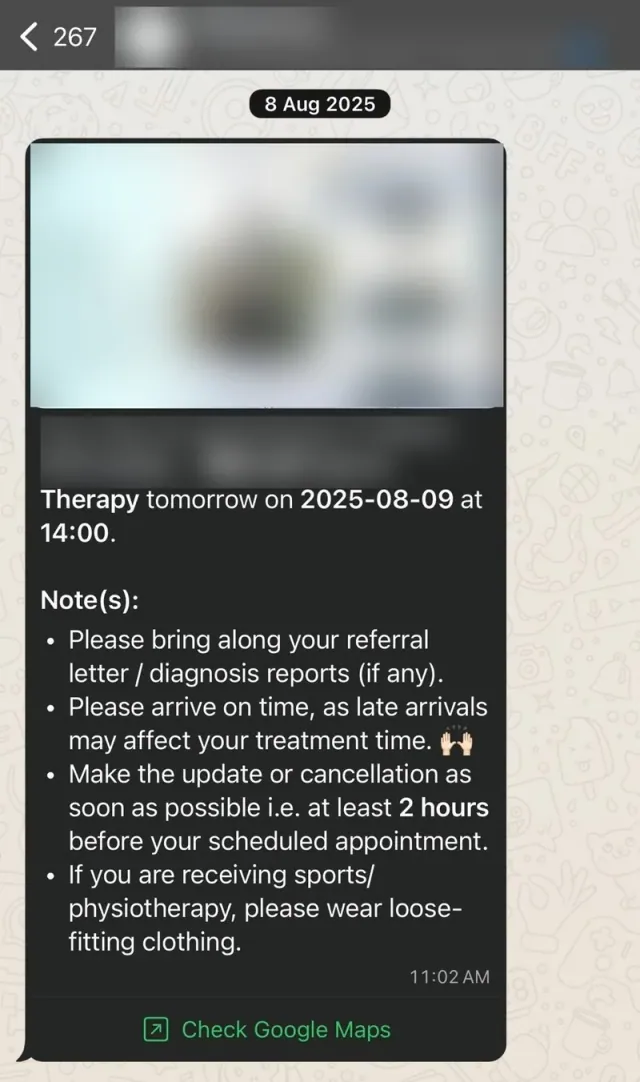
Why Add WhatsApp to Cliniko?
Your patients already message businesses on WhatsApp. Meta reports more than one billion active conversations with businesses on WhatsApp, Messenger and Instagram every day (June 2026). When a reminder reply or an evening enquiry has nowhere to go, the appointment or the new patient goes with it.
Cliniko already handles the diary, online booking and reminders well. What it does not do is hold a conversation on WhatsApp: answer a question about price, offer open slots inside the chat, or turn "can I come Thursday instead?" into a moved appointment. That conversation is the part Vascue Front Desk handles.
How a WhatsApp Booking Reaches Cliniko: A Worked Example
Here is how it works, step by step, for a new patient at a physio clinic. The same steps apply to chiropractic, podiatry and other allied health clinics on Cliniko.
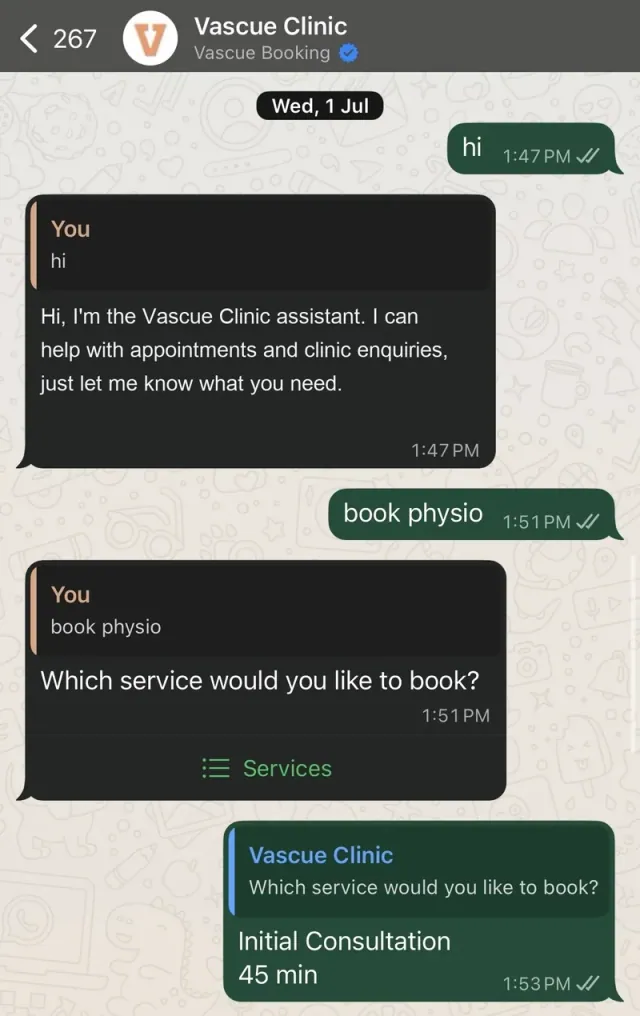
| Step | What happens on WhatsApp | What changes in Cliniko |
|---|---|---|
| Enquiry | On Saturday evening, a new patient asks about the price and availability of an initial consultation. Vascue answers in the patient's language while the clinic is closed. | Depending on the clinic's workflow, details from the chat can be added to the booking. |
| Booking | Vascue offers open slots from the Cliniko calendar. The patient picks Tuesday at 10am. | The appointment is created. No double entry, no overbooking. |
| Reminder | A WhatsApp reminder goes out at the time the clinic chose. The patient replies asking to move to Friday, and Vascue offers Friday's open slots in the same chat. | The appointment is moved automatically, or cancelled if the patient cannot come. |
| Takeover | The patient asks whether they should keep doing their exercises before the visit. That is a clinical question, so the conversation is flagged and a physio replies. | Nothing changes until staff act. |
| Follow-up | After the visit, the patient receives the follow-up message the clinic has set up. | Nothing is written back. |
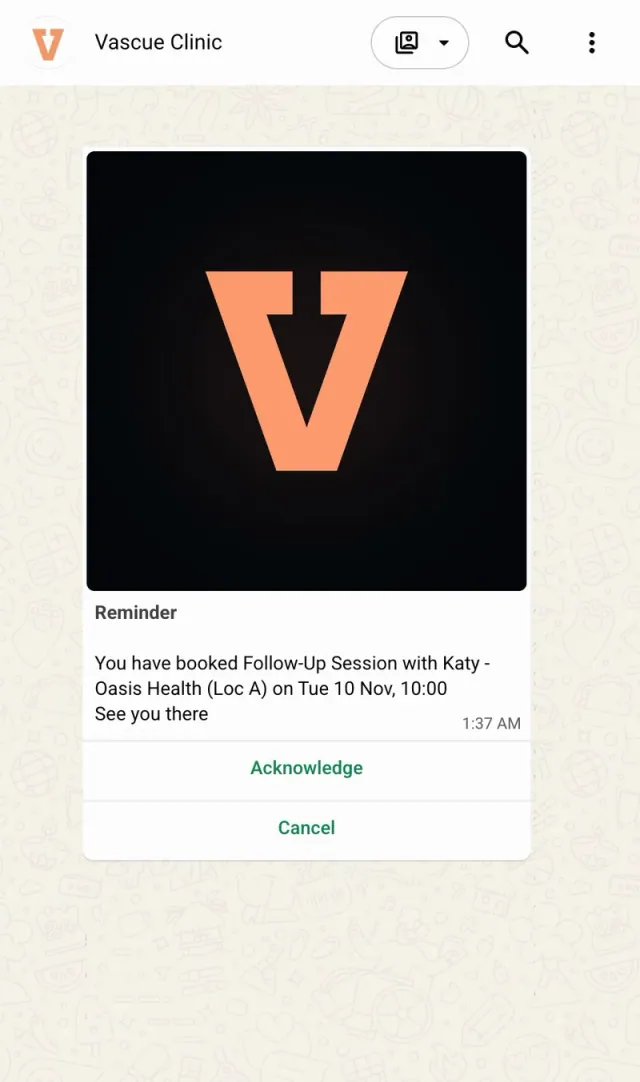
Across those five steps, nobody types the booking into Cliniko, and nobody has to read a reminder reply and move the appointment by hand. Staff see every conversation in the Vascue inbox and step in only where judgement is needed.
If a patient sends a document, such as a referral letter, it can also be saved automatically and added to their record in Cliniko. You choose this during setup.
What Clinic Owners Usually Ask
What if the AI doesn't know the answer?
You decide what happens. A common choice is a short reply telling the patient a team member will follow up, with the conversation flagged for your staff, so the AI never has to guess.
Will my patients know they're talking to an automated assistant?
That is your choice. You can say so in the welcome message, as the demo clinic's assistant does in the booking chat above, or anywhere else in the chat.
Can my staff take over a conversation?
Yes. Every conversation is visible in your staff inbox and flagged when it needs a person. One toggle hands it to a staff member: the AI steps back without breaking the thread and can be switched back on at any time.
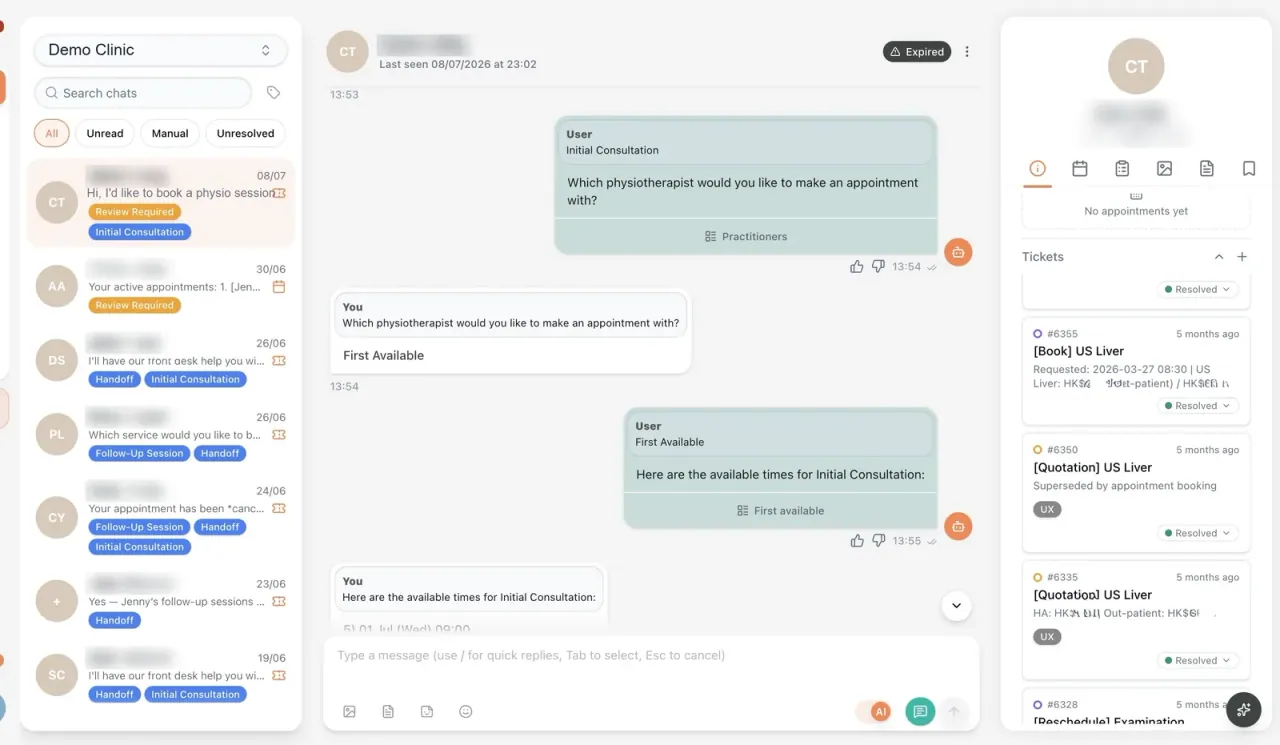
We set out when an AI should hand a patient to staff in the guide to approval, takeover and audit trails.
Can we choose when reminders go out?
Yes. You set your own reminder timing, for example 24 hours before, or 2 days before plus the same morning.
Setup: What Happens Before Go-Live
Vascue is a Cliniko connected app, and setup has four steps:
- Connect Cliniko. Enter your Cliniko API key in Vascue, or we'll guide you through it during onboarding.
- Map your services. We map your services, session types, pricing and reminder timing to your Cliniko setup with you.
- Add your WhatsApp number. Connect the WhatsApp number patients already message you on. You keep your number.
- Go live. Vascue sends reminders, handles enquiries and writes bookings into Cliniko, and staff can take over any conversation.
The diary, practitioner schedules, patient records, clinical notes and invoicing stay in Cliniko, exactly as before.
What Are the Limits?
- WhatsApp, not phone. Vascue Front Desk works on WhatsApp. It does not answer phone calls, so the clinic's phone line stays as it is.
- Clinical questions go to people. Vascue does not give clinical advice. Questions that need a practitioner are flagged for the team.
- Follow-up is a message. The follow-up after a visit is the message the clinic sets up. It does not write anything back to Cliniko.
- Enquiry details depend on your workflow. Whether details from the first chat are added to the booking depends on how the clinic sets it up.
Patient Privacy and Proof
AI in the loop. Humans in control. Patient data is handled in Vascue's own environment, and direct identifiers are masked before content reaches a language model. Role-based access and audit logs are standard. Vascue Limited's information security management system is certified to ISO/IEC 27001:2022.
How the same approach runs in a hospital is described in our Hong Kong hospital architecture post. In that private hospital radiology department, Vascue had served more than 8,000 patients and handled more than 150,000 messages as of August 2026 (company-reported). That is a hospital rather than an allied health clinic, so read it as evidence of scale, not as a clinic result.
A registered sports therapist at a Cliniko clinic puts the day-to-day difference more simply: "By routing booking requests straight into Cliniko, I can focus entirely on treatment. No more phone juggling or double-entry."
Other Tools and Vascue Products
Other tools cover different parts of this space, from phone reception to clinical notes. We compare them in our AI medical receptionist roundup. For why reminders alone are not enough, see our guide to physio appointment reminders, intake and follow-up.
Two other Vascue products sit alongside Vascue Front Desk. Vascue Insights is a separate product that brings dashboards, operational data and AI-assisted questions into one view, so clinic leaders can find bottlenecks and act sooner. Vascue Claims prepares claims for staff review. Cliniko is its first connected source, and it is open to a small number of design partners.
To see a reminder reply, a booking and a staff takeover run on your own Cliniko setup, book a demo on WhatsApp.


