

Patients message on WhatsApp.
Cliniko stays in sync.
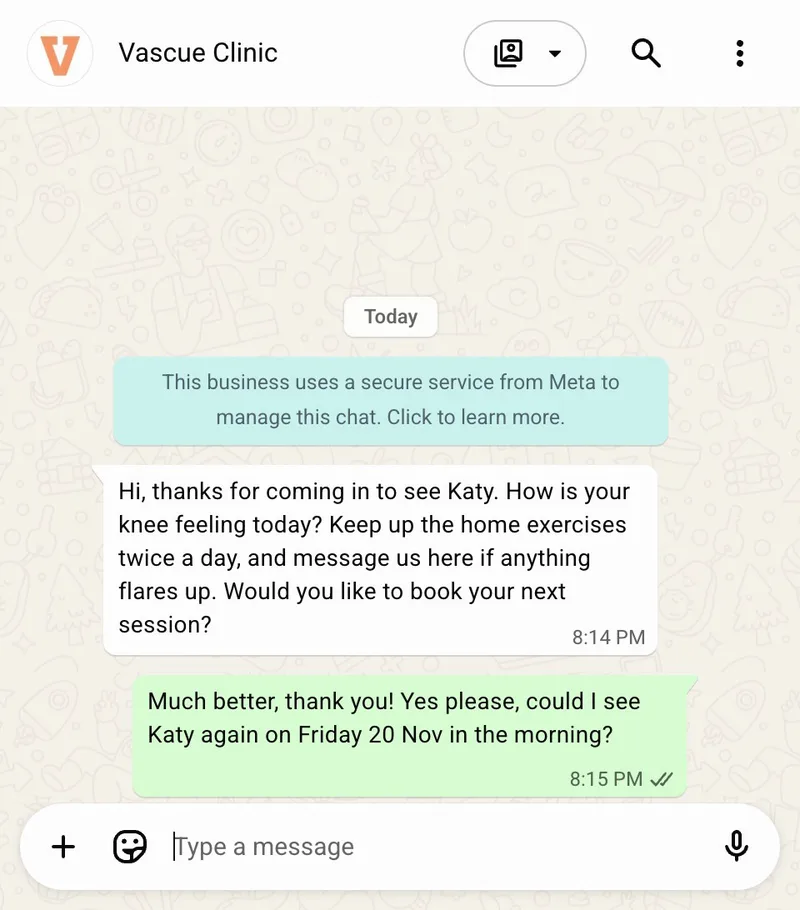
Vascue Front Desk sends reminders and answers enquiries on WhatsApp. Bookings, reschedules and cancellations go straight into Cliniko, and your team can take over any chat.
- WhatsApp reminders
- Two-way Cliniko sync
- Staff takeover
From first message to follow-up
Every step happens on WhatsApp, and every change to an appointment lands in Cliniko.
- Step 1
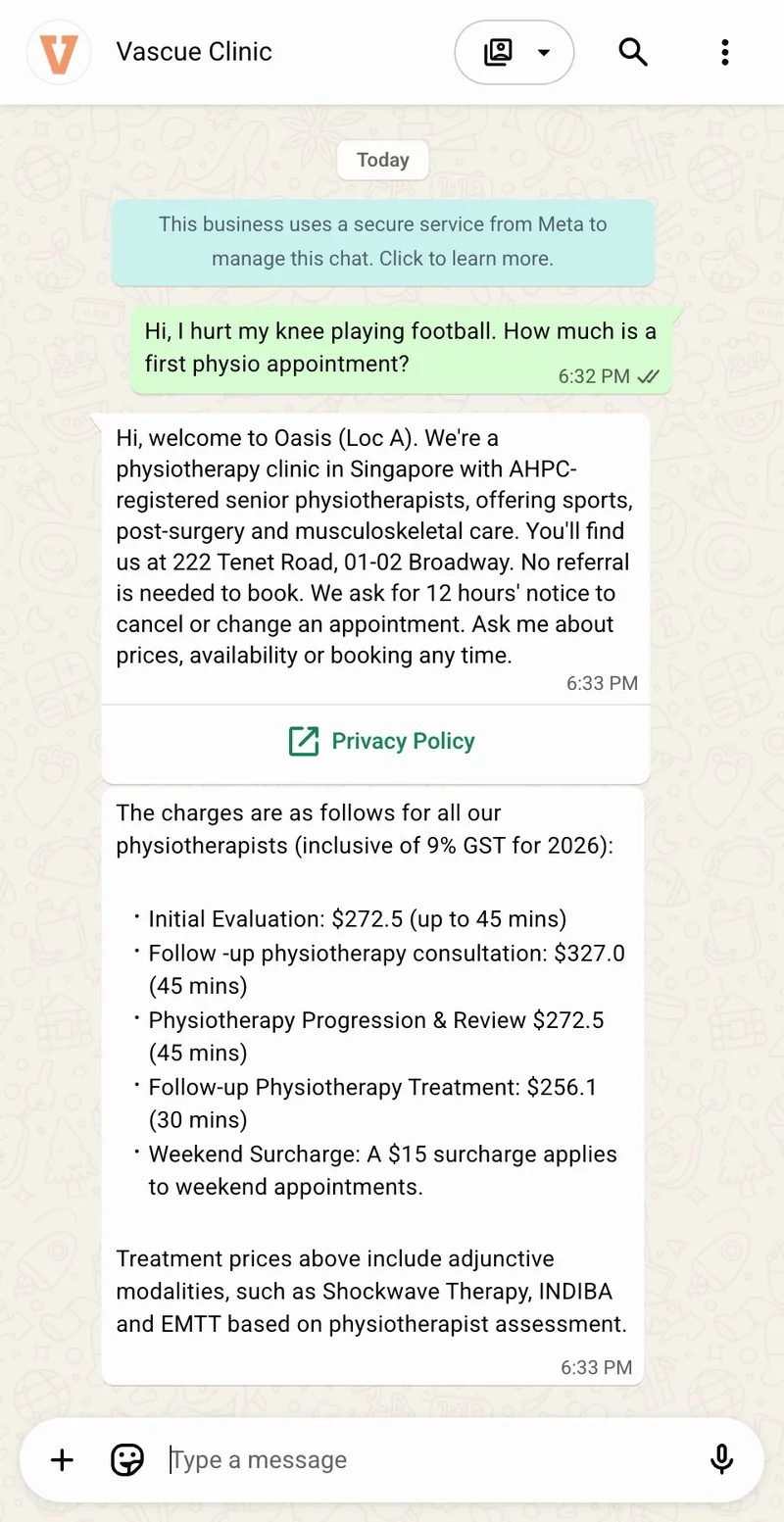
Answer every enquiry
A new patient asks about prices or availability on WhatsApp. Vascue answers in their language, even when the clinic is closed.
In Cliniko: Depending on your workflow, details from the chat can be added to the booking.
- Step 2
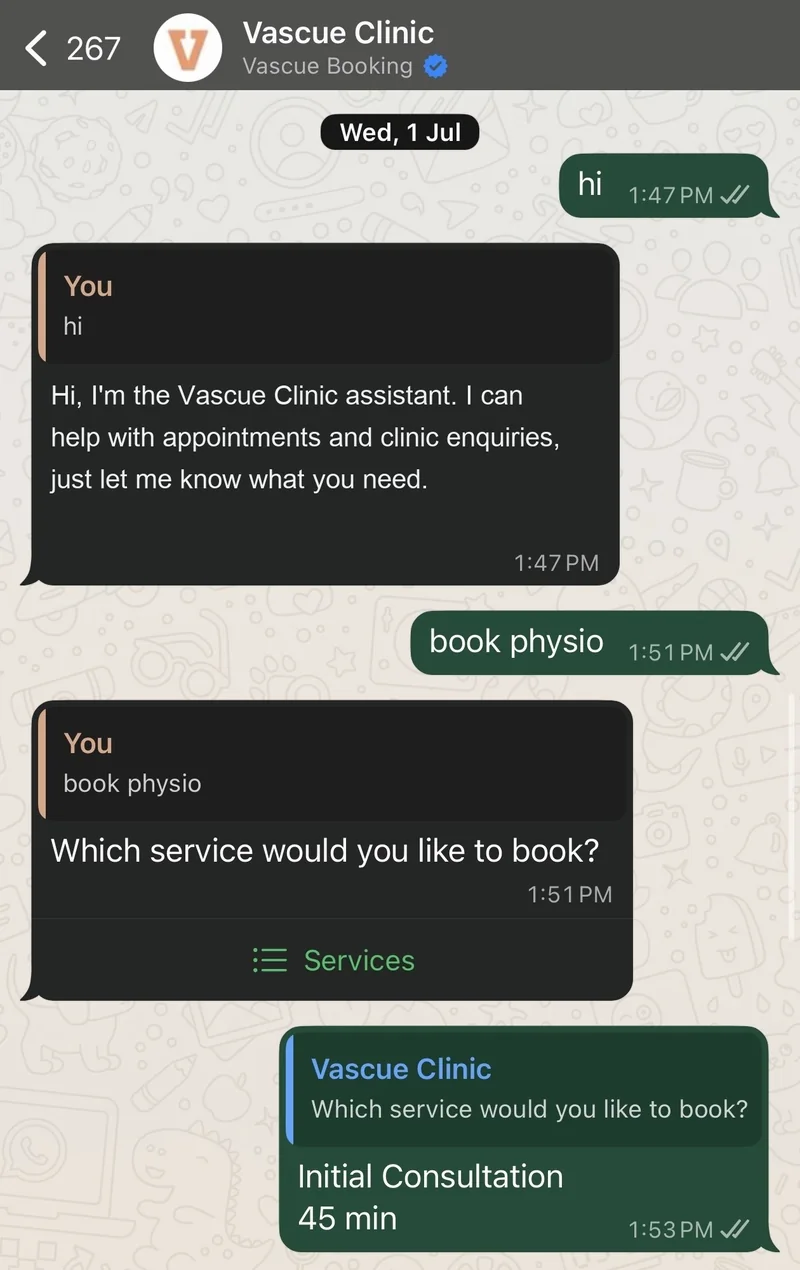
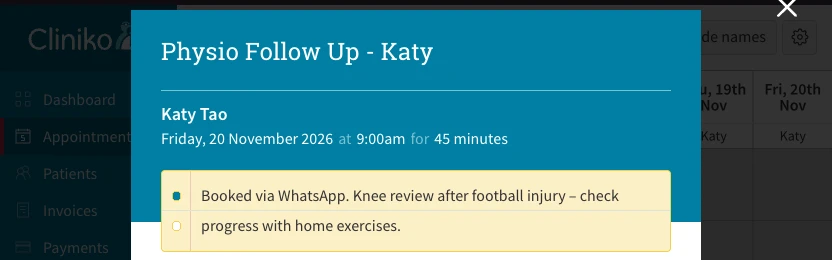
Book straight into Cliniko
Vascue offers open slots from your Cliniko calendar and books the one the patient picks.
In Cliniko: The appointment is created. No double entry, no overbooking.
- Step 3
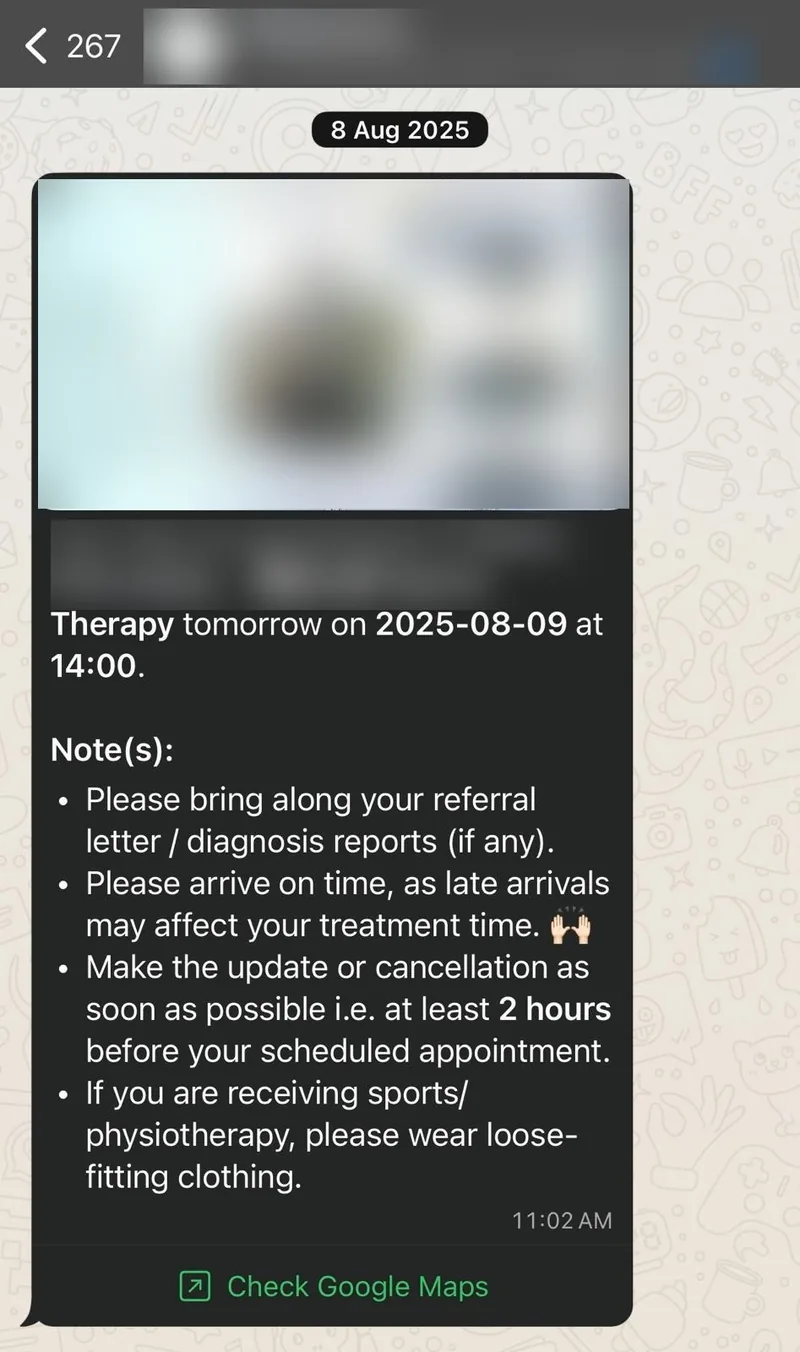
Remind patients on WhatsApp
A WhatsApp reminder goes out before the visit. A reply can be more than yes or no: if the patient needs to move or cancel, Vascue handles it in the same chat.
In Cliniko: The appointment is rescheduled or cancelled.
- Step 4
Follow up after the visit
After the visit, Vascue sends the follow-up message your clinic sets up.
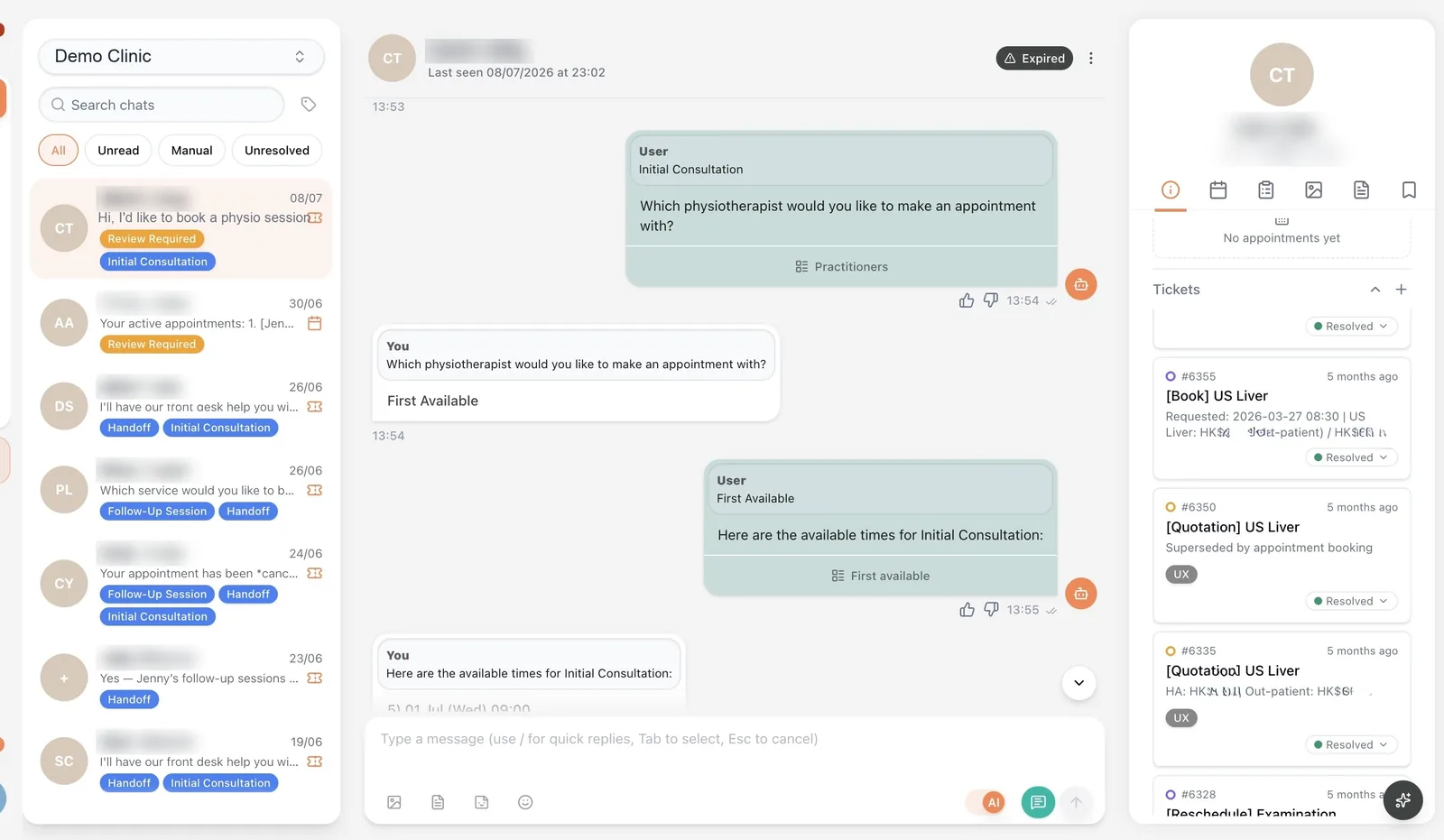
Your team stays in control.
Vascue handles the routine.
Every conversation is visible in the staff inbox and flagged when it needs a person. One toggle hands it to your team, and the AI steps back without breaking the thread.
AI in the loop. Humans in control.
More with Vascue
Vascue Claims
Cliniko is the first connected source for Vascue Claims, which prepares claims for staff review. It is available on request as an add-on on the Growth, Pro and Enterprise plans.
About Vascue ClaimsNot on Cliniko?
Vascue also syncs both ways with Nookal, and can connect to any other practice management system your clinic uses. Clinics without a practice management system can use the built-in Vascue calendar.
Contact us on WhatsAppConnected in four steps
Connect Cliniko
Enter your Cliniko API key in Vascue, or we'll guide you through it during onboarding.
Map your services
We map your services, session types, pricing and reminder timing to your Cliniko setup.
Add your WhatsApp number
Connect the WhatsApp number patients already message you on.
Go live
Vascue sends reminders, handles enquiries and writes bookings into Cliniko, with staff able to take over anytime.
Why teams stay in the treatment room
Every session starts with a patient that is already logged, scheduled and ready to go. The integration with Cliniko is so seamless that I no longer worry about overbooking or mis‑communication. It’s like having a personal secretary in my pocket.
The AI frontdesk has become our first line of defense against missed appointments. By routing booking requests straight into Cliniko, I can focus entirely on treatment. No more phone juggling or double‑entry.
Proven in a live hospital deployment
Live in a private hospital radiology department in Hong Kong. Figures as of August 2026. Read the case study
Patient data, handled with care
ISO 27001 certified · PII masking available · Staff review and takeover
Is Vascue an AI receptionist for Cliniko?
Yes. Vascue Front Desk works as an AI receptionist for Cliniko clinics on WhatsApp. It sends appointment reminders, answers enquiries, and books, reschedules and cancels appointments in Cliniko. Your team can review or take over any conversation.
How does Vascue connect to Cliniko?
Enter your Cliniko API key in Vascue, or we'll guide you through it during onboarding. We then map your services, session types, pricing and reminder timing before go-live.
Can patients reschedule or cancel by replying to a reminder?
Yes. Reminders go out on WhatsApp. When a patient asks to move or cancel, Vascue handles it in the same conversation and writes the change into Cliniko. Anything that needs a person is flagged for your team.
Does Vascue answer phone calls?
No. Vascue Front Desk works on WhatsApp, where many patients already message their clinic. Your phone line stays as it is.
Can our team take over a conversation?
Yes. Every conversation is visible in the staff inbox, flagged when it needs a human, and one toggle hands it to a person. The AI steps back without breaking the thread and can be switched back on at any time.
Is patient data sent to a third-party AI model?
Patient data is handled in Vascue's own environment. PII masking is available: each clinic can choose to hide names, phone numbers and other identifiers before a message reaches the AI model. Vascue Limited's information security management system is certified to ISO/IEC 27001:2022; the certificate sets out the scope. Vascue does not sell patient data.
We are not on Cliniko. Can we still use Vascue?
Yes. Vascue books appointments in the practice management system your clinic already uses. Bookings sync both ways with Nookal as well as Cliniko, and Vascue can connect to any other system your clinic uses. Clinics without a practice management system can use the built-in Vascue calendar. Contact us at hello@vascue.io to find out more.
Guides for Cliniko clinics
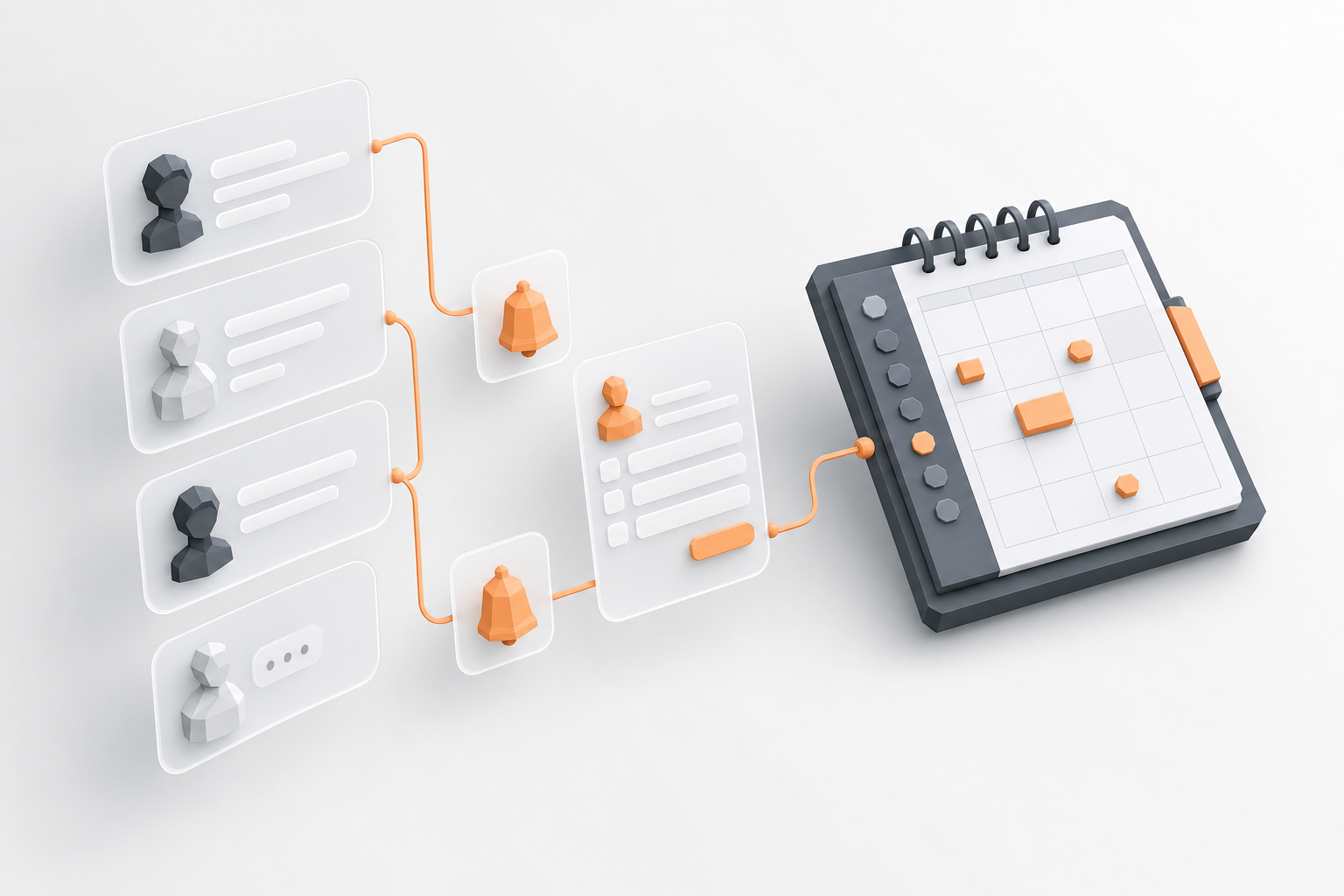 Practice Operations
Appointment Reminders, Intake Forms and Follow-Up Messages for Physio Clinics: What to Look For
What Cliniko and Nookal already automate for reminders, intake forms and follow-up, where the native tools stop, and a checklist for choosing workflow automation built for allied health.
8 min read Healthcare AI
Cliniko WhatsApp Reminders and Booking: How the Integration Works
How WhatsApp reminders, replies and bookings reach Cliniko with Vascue Front Desk: a worked example at a physio clinic, what changes in Cliniko at each step, setup and limits.
6 min read Healthcare AI
Best AI Medical Receptionist for Allied Health Clinics in 2026
The best AI medical receptionists for allied health in 2026, compared: Vascue, BookedSolid, MIEA Health, and Heidi Health on intake, booking, and claims.
5 min read


